








Smarter, faster drainage design with Causeway Flow.
Design, analyse & optimise drainage networks with next-generation tools for greater accuracy, compliance & efficiency.
Design with confidence using the trusted SWMM5 hydraulic engine
Ensure compliance effortlessly – meet Defra’s new SuDS standards
Integrate effortlessly with AutoCAD® & Civil 3D® for smoother workflows
Trusted by over 800 consultants, housebuilders and local authorities
Outline and preliminary design
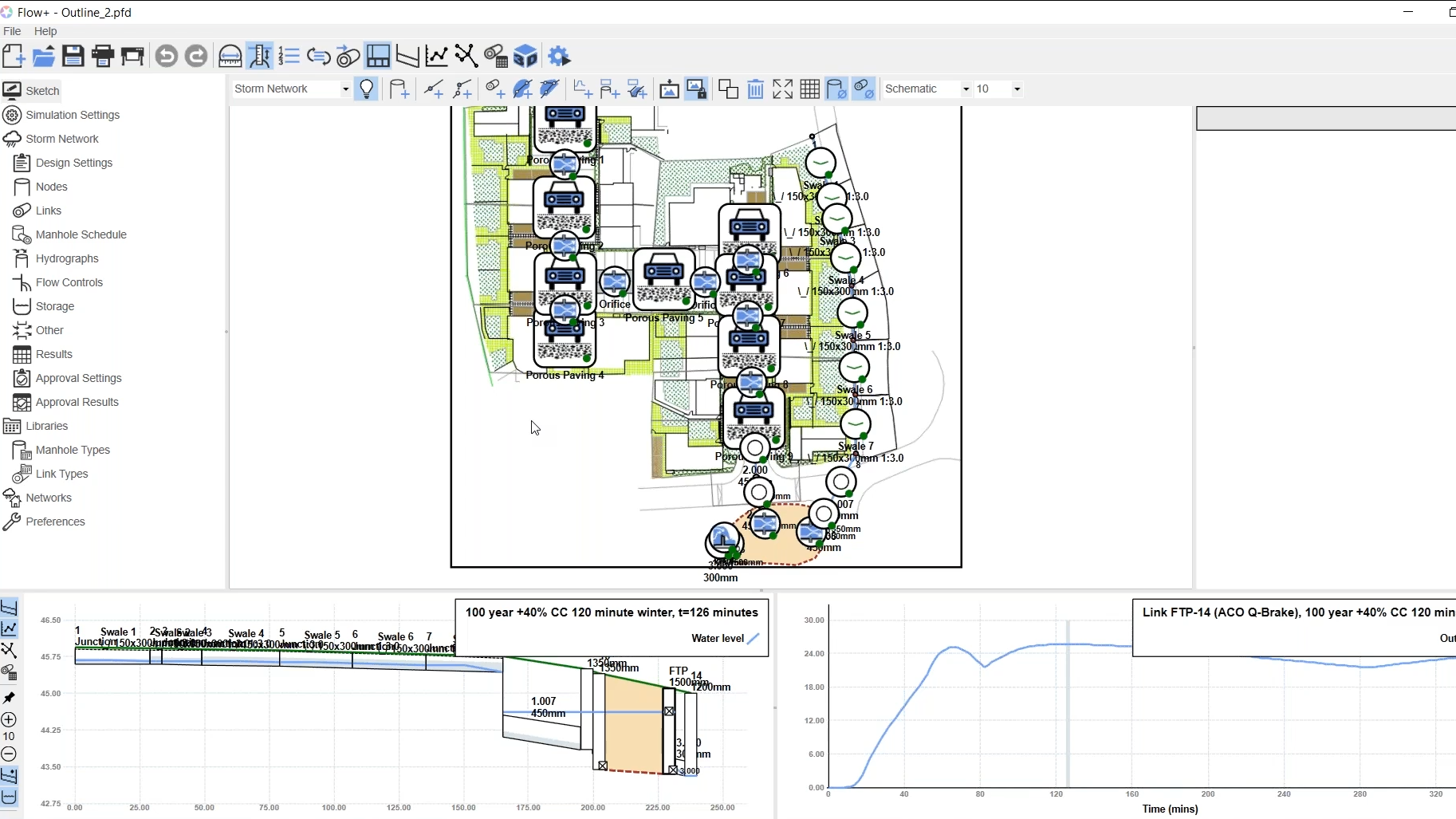
Produce intuitive outline designs at the pre-planning stage. Define catchments, storage and flow controls, and run full hydraulic analysis using UK rainfall data and realistic flow conditions.
Seamless transition to detailed design
Convert outline designs directly into detailed models without redrawing.
Integrated hydraulic simulation and results
Run full SWMM5 hydraulic simulations directly within Sketch. View longsections, hydrographs and water levels in real time to validate performance before moving to detailed design.
Advanced BIM and Civil 3D integration
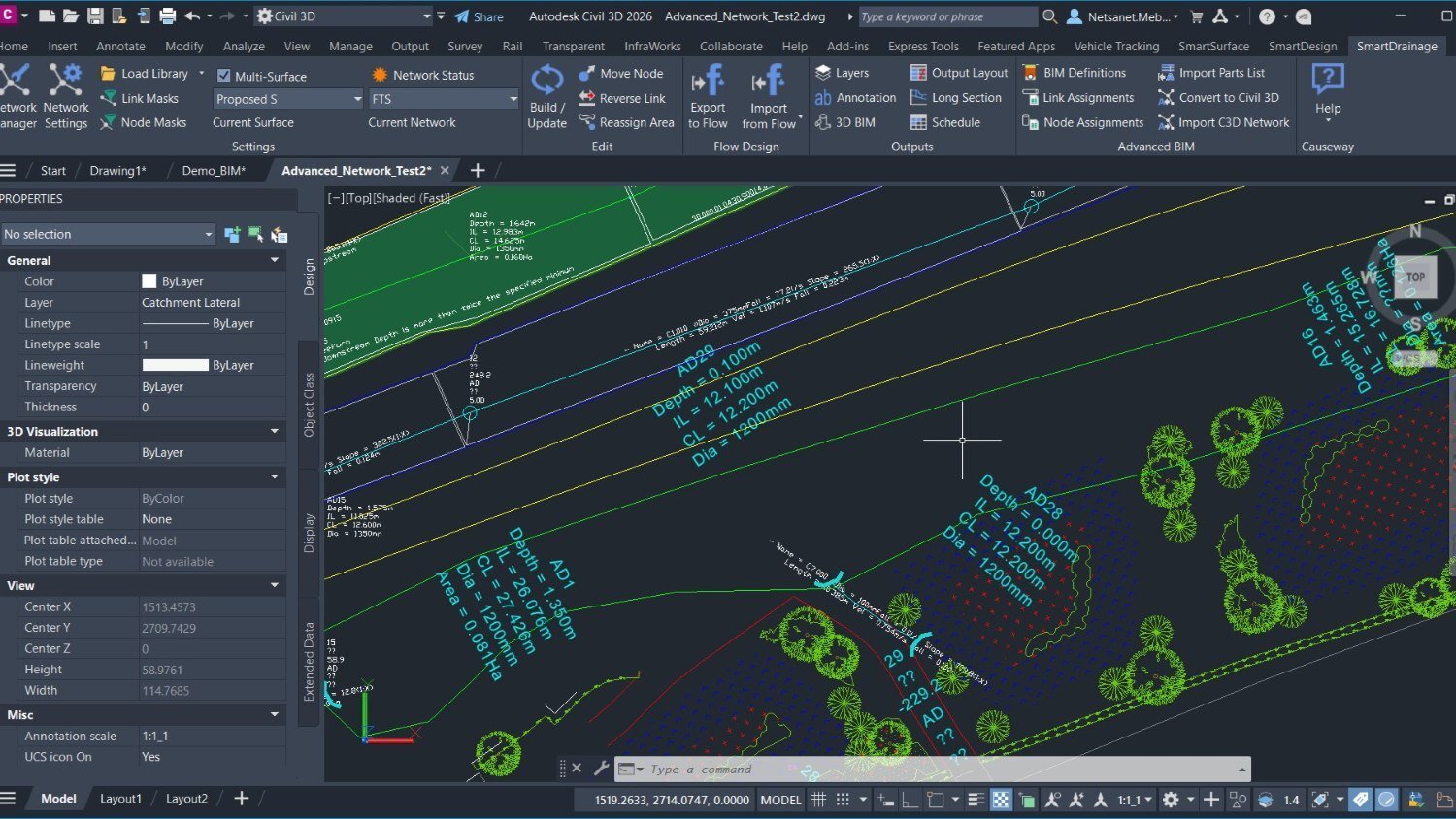
Networks can be exported as Civil 3D entities containing full hydraulic and construction details — including material, bedding, surround and trench information — providing a complete model for quantities, costs and reliable clash detection.
Linked drainage networks
After creating and exporting any drainage network to Flow, the optimised design can be seamlessly reimported to refresh and update all drawing outputs automatically.
Customisable annotation styles
Define annotation elements such as cover level, depth, diameter and invert level. Adjust prefixes, text size and layout to match CAD standards and project templates.
Surface creation and management
SmartSurface provides surface elevation data as spot levels and profiles to other applications in SmartTools range seamlessly working across multiple surfaces, including complex overlapping grade-separated surface.
Design coordination and feature alignment
SmartDesign lets you associate alignments, features and drainage elements together, so when levels or geometry change, connected features adjust automatically. This makes redesigns faster and keeps related assets consistent across the model.
Comprehensive rainfall and climate data inputs
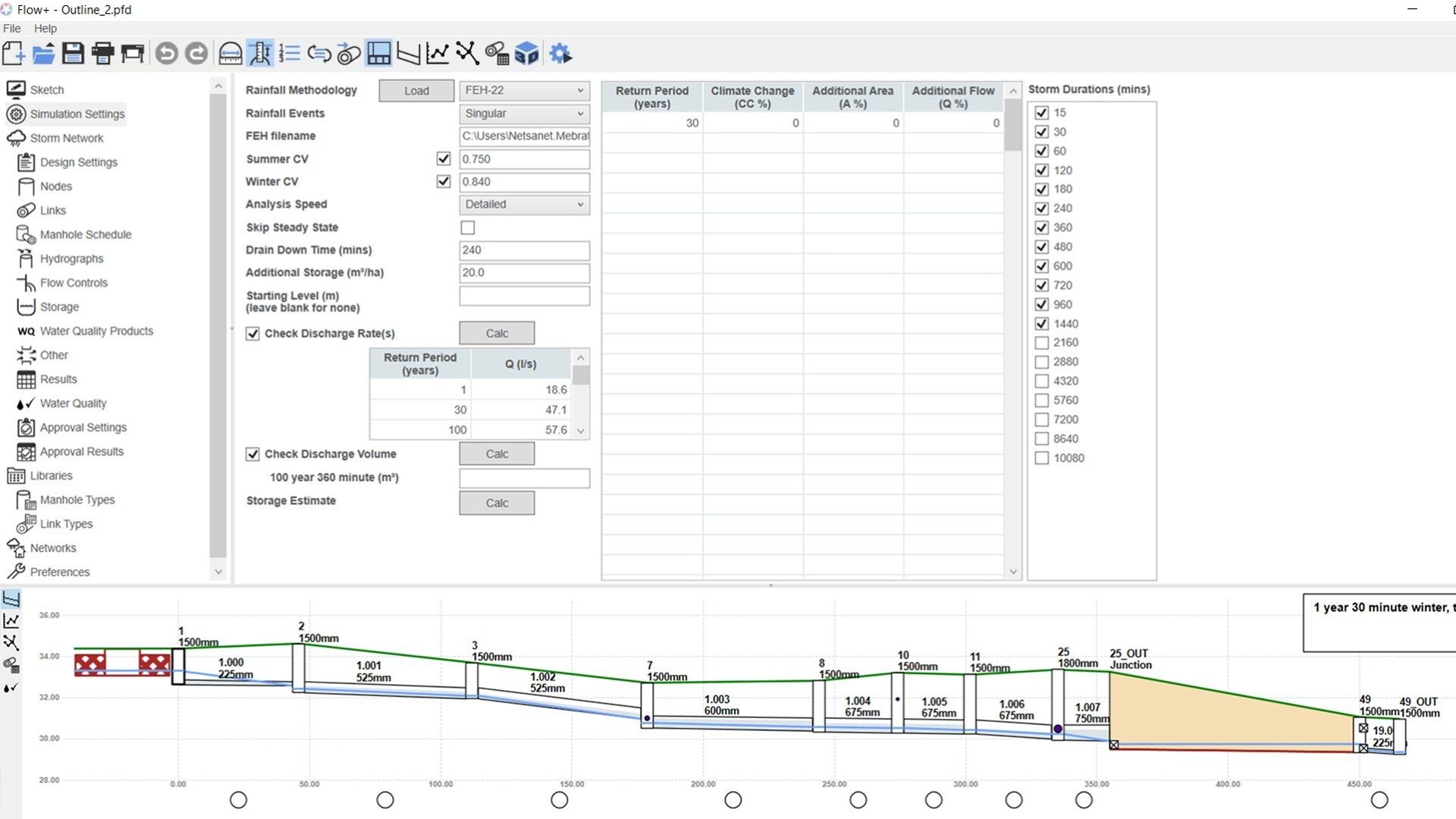
Select rainfall methodologies including FSR, FEH99, FEH13 and FEH22. Apply climate change factors, urban creep and seasonal variations directly within the simulation setup.
Simulation parameter configuration
Specify return periods, climate change factors, additional area for urban creep and more.
Flexible storm duration selection
Run simulations across a full range of storm durations to identify the critical duration for design. Automate result generation for short- and long-duration rainfall events.
Simulation controls
Users can configure simulation settings to run extreme or consecutive rainfall events, control steady-state inclusion, and adjust drain-down time, added storage, and initial levels.
The hydraulic solver automatically maintains maximum precision and numerical stability, enabling seamless optimisation.
Customisable report setup
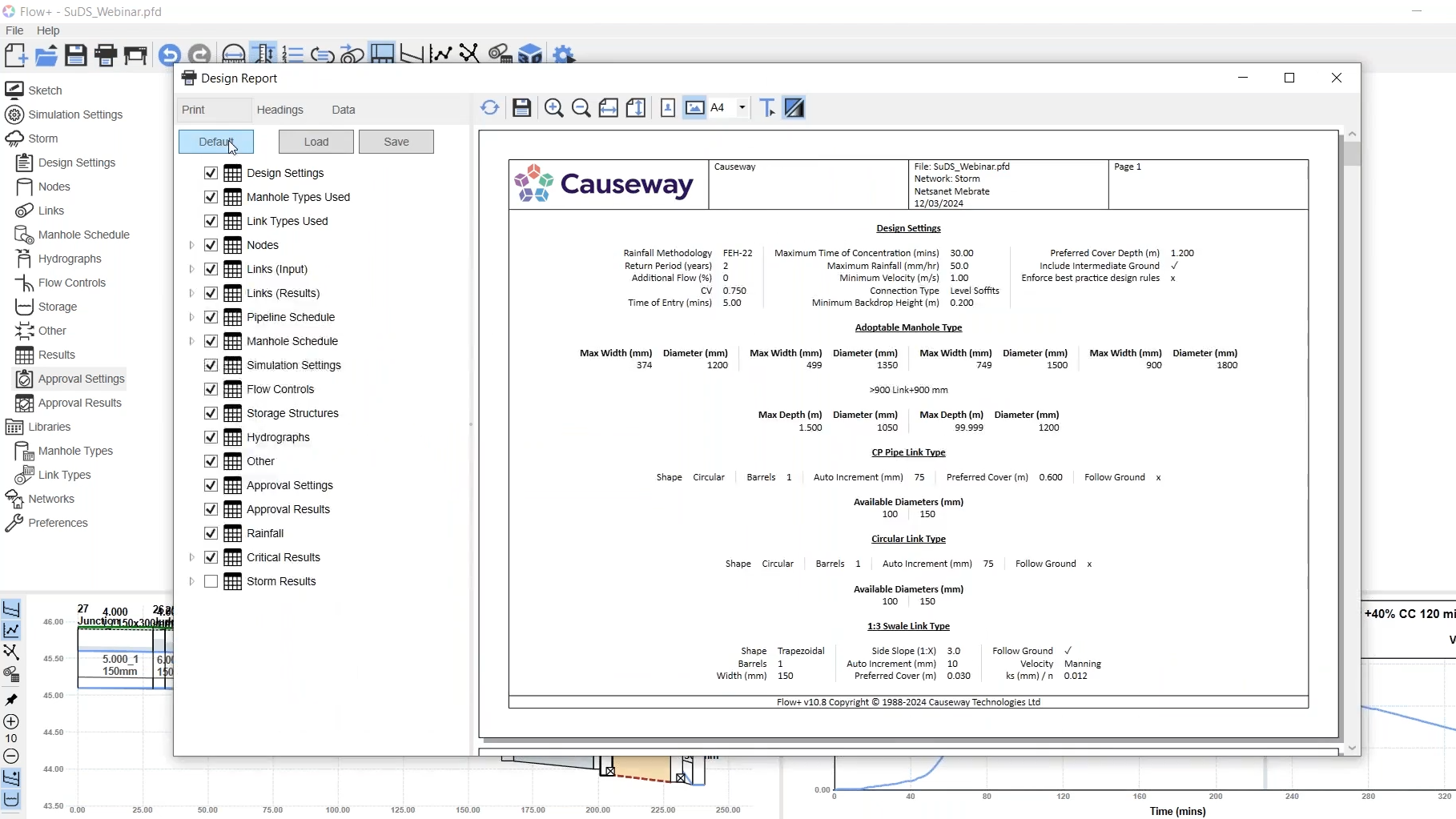
Select which data to include — from design settings and hydraulic results to manhole and pipeline schedules. Configure headings, units and layout before exporting to PDF or Excel.
Comprehensive design documentation
Automatically generate formatted reports containing network data, design parameters and simulation outputs. Ideal for submission to approving authorities or internal QA checks.
Report formatting and templates
Customise report headings, layout and branding. Save preferred configurations as templates to maintain consistency across projects and streamline future report generation.
3D network visualisation
The 3D button allows you to animate the drainage system in detail. You can see the water travelling through each structure as the analysis runs, with pipes, manholes and storage shown in true geometry.
Visualise hydraulic behaviour in real time
The 3D view, longsection and hydrograph all update together, so you can move forward or rewind to see what’s happening in the network at any moment — depth, flow direction and surcharge levels are all linked in real time.
Outline and preliminary design
Produce intuitive outline designs at the pre-planning stage. Define catchments, storage and flow controls, and run full hydraulic analysis using UK rainfall data and realistic flow conditions.
Seamless transition to detailed design
Convert outline designs directly into detailed models without redrawing.
Integrated hydraulic simulation and results
Run full SWMM5 hydraulic simulations directly within Sketch. View longsections, hydrographs and water levels in real time to validate performance before moving to detailed design.
Advanced BIM and Civil 3D integration
Networks can be exported as Civil 3D entities containing full hydraulic and construction details — including material, bedding, surround and trench information — providing a complete model for quantities, costs and reliable clash detection.
Linked drainage networks
After creating and exporting any drainage network to Flow, the optimised design can be seamlessly reimported to refresh and update all drawing outputs automatically.
Customisable annotation styles
Define annotation elements such as cover level, depth, diameter and invert level. Adjust prefixes, text size and layout to match CAD standards and project templates.
Surface creation and management
SmartSurface provides surface elevation data as spot levels and profiles to other applications in SmartTools range seamlessly working across multiple surfaces, including complex overlapping grade-separated surface.
Design coordination and feature alignment
SmartDesign lets you associate alignments, features and drainage elements together, so when levels or geometry change, connected features adjust automatically. This makes redesigns faster and keeps related assets consistent across the model.
Comprehensive rainfall and climate data inputs
Select rainfall methodologies including FSR, FEH99, FEH13 and FEH22. Apply climate change factors, urban creep and seasonal variations directly within the simulation setup.
Simulation parameter configuration
Specify return periods, climate change factors, additional area for urban creep and more.
Flexible storm duration selection
Run simulations across a full range of storm durations to identify the critical duration for design. Automate result generation for short- and long-duration rainfall events.
Simulation controls
Users can configure simulation settings to run extreme or consecutive rainfall events, control steady-state inclusion, and adjust drain-down time, added storage, and initial levels.
The hydraulic solver automatically maintains maximum precision and numerical stability, enabling seamless optimisation.
Customisable report setup
Select which data to include — from design settings and hydraulic results to manhole and pipeline schedules. Configure headings, units and layout before exporting to PDF or Excel.
Comprehensive design documentation
Automatically generate formatted reports containing network data, design parameters and simulation outputs. Ideal for submission to approving authorities or internal QA checks.
Report formatting and templates
Customise report headings, layout and branding. Save preferred configurations as templates to maintain consistency across projects and streamline future report generation.
3D network visualisation
The 3D button allows you to animate the drainage system in detail. You can see the water travelling through each structure as the analysis runs, with pipes, manholes and storage shown in true geometry.
Visualise hydraulic behaviour in real time
The 3D view, longsection and hydrograph all update together, so you can move forward or rewind to see what’s happening in the network at any moment — depth, flow direction and surcharge levels are all linked in real time.
Want to see Causeway Flow in action?
"With previous software, drainage drawings took days to pull together.
With Causeway Flow, we can deliver the same outputs in a day - sometimes less. It’s a huge saving on time."
Smarter design starts here: 3 benefits you’ll feel immediately
Faster, more efficient design workflow
Engineers can move from concept to detailed design without redrawing or data re-entry. Causeway Flow and SmartTools automate repetitive CAD work, update designs instantly, and remove the need for double handling — saving hours on every project.
Seamless integration between design environments
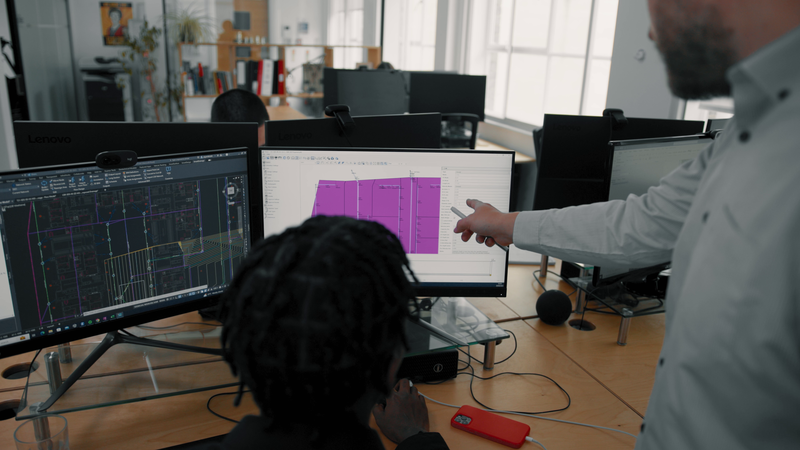
Convert graphical drawings from AutoCAD® or Civil 3D® into a Flow compatible drainage network, removing the time consuming and error strewn step of re-tracing.
Compliance with latest SuDS standards
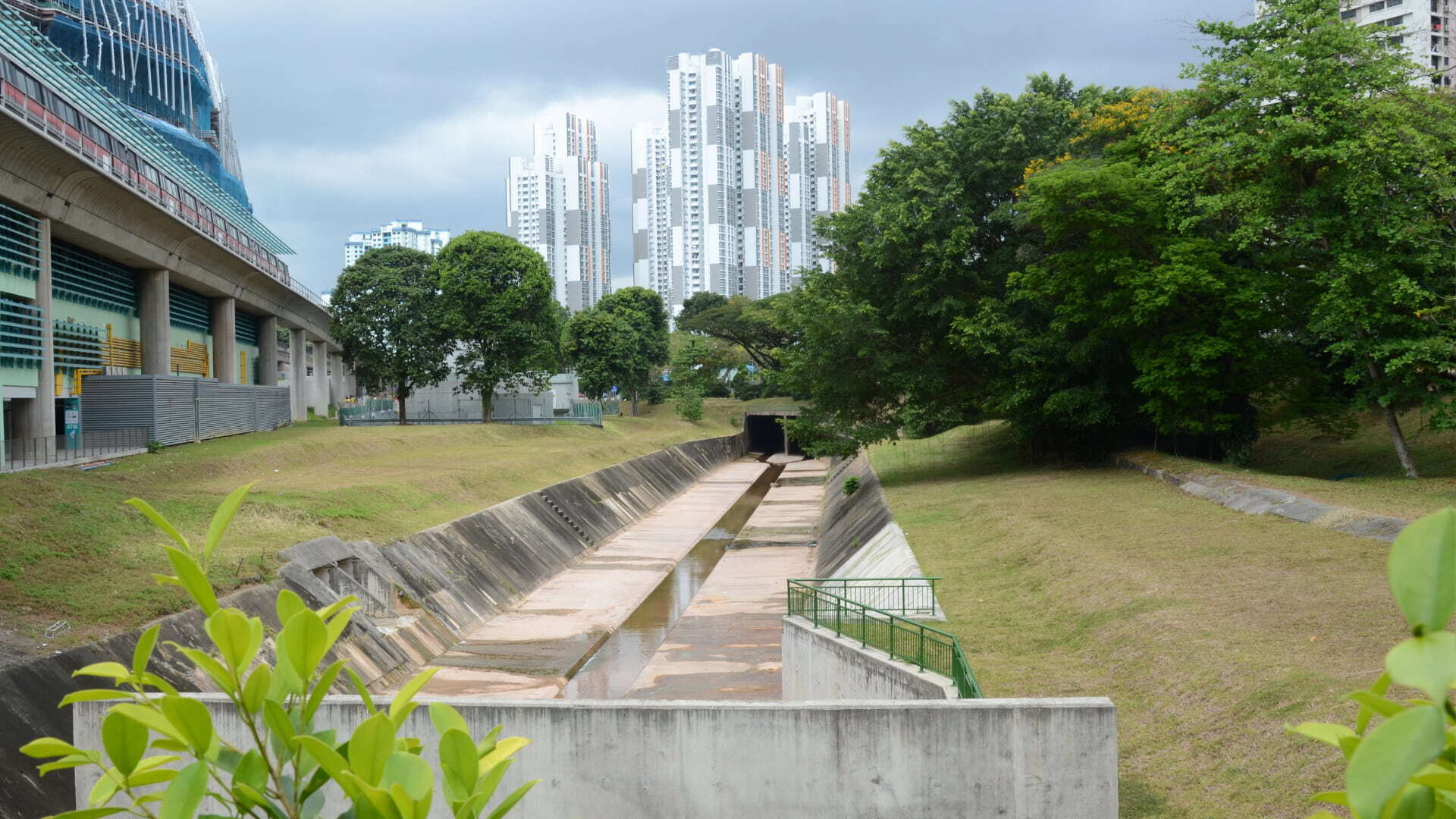
Quickly check designs against Defra’s latest SuDS requirements. Flow’s SuDS features let engineers model basins, swales, and flow-through structures with full hydraulic realism.
Engaging question / statement to encourage users to take the quiz!
Lorem ipsum dolor sit amet consectetur. Vel nulla vel dolor tristique aliquet praesent vel adipiscing egestas cras.
Key Product Features
Card title
Lorem ipsum dolor sit amet consectetur. Mauris ultricies egestas lectus ut dolor. Nibh at mauris cursus nisi ut dictum.
Card title
Lorem ipsum dolor sit amet consectetur. Mauris ultricies egestas lectus ut dolor. Nibh at mauris cursus nisi ut dictum.

Card title
Lorem ipsum dolor sit amet consectetur. Mauris ultricies egestas lectus ut dolor. Nibh at mauris cursus nisi ut dictum.

Card title
Lorem ipsum dolor sit amet consectetur. Mauris ultricies egestas lectus ut dolor. Nibh at mauris cursus nisi ut dictum.
Why engineers choose Causeway Flow
Sustainability in mind
Intuitvely model SuDS components that adhere to the core principles outlined in the SuDS Manual. Balance the four pillars of SuDS, ensuring compliant, harmonious, and effective designs.
Unmatched flexibility and cost savings
Causeway Flow can be accessed across multiple teams, offices and countries. Say goodbye to restrictive fixed licences that slows down your team and hinders scalability.
Best practice designs, reports and drawing production
Embrace software that epitomises the gold standard in drainage design. Elevate your design reports and drawings, including Level 2 BIM output, and stay ahead of industry competition.
Full integration for a seamless workflow
Deliver user customisable design production, including annotations, manhole and pipe schedules, longsections and Level 2 BIM reports to help clients and authorities make decisions faster. Integrate with Civil 3D®, AutoCAD® and Causeway Live Design for a seamless workflow.
Meet regulatory requirements
Ensure compliance with all necessary standards, guidelines and regulations. From traditional to SuDS to foul drainage design, Causeway Flow ensures your projects meet the highest compliance standards.
Advanced graphical design
Our cutting-edge graphical user interfaces effortlessly converts existing graphical drawings or create new ones into designs ready for detailed analysis and design.
Ready to transform your drainage design process?
Get in touch via the online form to discover how Causeway Flow can simplify drainage design and analysis, helping your team work faster, stay compliant, and deliver more efficient, sustainable schemes.
Design, analyse and optimise storm and foul networks with accuracy and confidence.
Design SuDS with confidence that you're meeting Defra's latest standards.
Save time with seamless integration between Flow and SmartTools — convert AutoCAD® or Civil 3D® drawings directly into Flow networks, removing the time-consuming step of retracing.